Get GTX 1060 6GB Performance from This $75 GPU
This Mining GPU Gives Gamers GTX 1060 Performance for $75
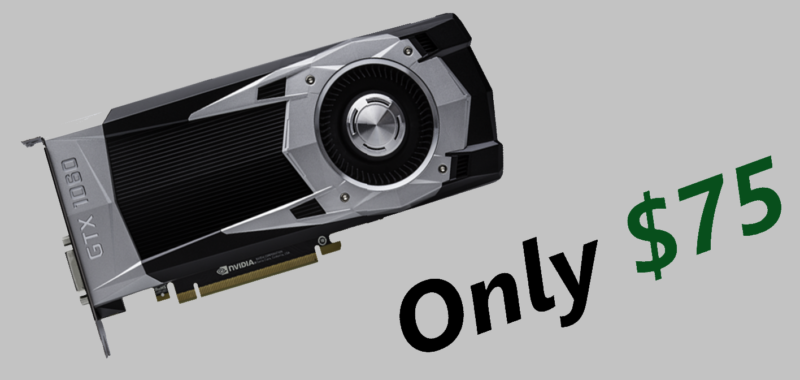
Lets be honest here, gaming is an expensive hobby. Right now, if you want to run the latest games at 1080p 60 FPS for a low price, you will have to shell out $250 for the Nvidia GTX 1060 6GB variant. The other components of your gaming PC will cost you at least $200 so, you will have to shell out $450 in total. If you want a $500 gaming PC or looking for a GTX 1060 6GB I have good news for you as you can get GTX 1060 6GB from the $75 P106 mining GPU which you can pick up from Taobao Focus.
What is the P106 GPU?
When GPU mining blew up a while ago and crypto prices started going to the thousands, Nvidia released mining GPUs so that both gamers and miners can get their hands on GPUs for appropriate prices. The Nvidia P106 is basically an Nvidia GTX 1060 6GB GPU but, you can’t plug it in as it doesn’t have IO. The thing is that if you want to use the P106, you’ll need a system that has an IGPU and your motherboard should have graphics output.
How Does it Work?
As you know, the P106 doesn’t have IO so, you can’t plug it into your monitor and this is why you need a system with an IGPU. To put it simply, custom made drivers cause the GPU’s power to pass through your CPU’s IGPU. This feature comes from laptops that feature an IGPU for battery saver and a GPU for doing tasks such as gaming. If you want more details on how it works, you can check out Linus Tech Tip’s video.
How Do I do It?
Unfortunatly, it is a little hard to use the P106 GPU to run games. The only issue is the fact that we don’t have a way to confirm if the custom made Chinese drivers are stealing your information or something but, we can fix that. Linus Tech Tips has gone ahead and showed in this video how you can modify the driver your self. Ok, now that we addressed the security concerns, you can go ahead and install the custom made drivers.
The issue is the fact that it’ll be really hard to use words to tell you how to install the custom drivers. If you need help, you can watch this Linus Tech Tips video for a detailed guide. First, you will have to download and install the Nvidia Geforce 416.16. Although the Nvidia drivers are installed, your P106 GPU still wouldn’t be detected as a gaming GPU. To get it to show up as a gaming GPU, you will have to download this driver. After you download the driver, you will have to go to your bios and disable secure boot keys and then go to windows and open power shell. In power shell, you have to type “bcdedit /set testsigning on.” By doing this, you are able to install the Chinese drivers without any issues. Now, you have to reboot and install the driver that you downloaded earlier and reboot. Now, you have to go to your graphics windows settings click browse, and choose your games. Now, click on the game’s icon, go to options, and click on high performance. If you see “Nvidia P106-100” On the top right of the options menu next to high performance, you have gotten your self a $75 Nvidia GTX 1060 6GB GPU.
Tags and Keywords:
Technology, Video Games, PC Gaming, PC Deals, GPU Deals, Nvidia GTX 1060 6GB, Nvidia GTX 1060 Deals, $75 GTX 1060 6Gb

CONTACTS DETAILS &FOR MORE INFO:
https://www.ultragamerz.com/contact/
- Shido Inu is up 500%+, is it Worth a Buy? Next Token to 100x? - October 10, 2022
- GoCryptoMe (GCME) a Crypto GEM or a Scam? Next Token to 100x? - March 4, 2022
- SHIBADOGE, the latest NFT Token, a Gem or a Scam? - March 1, 2022